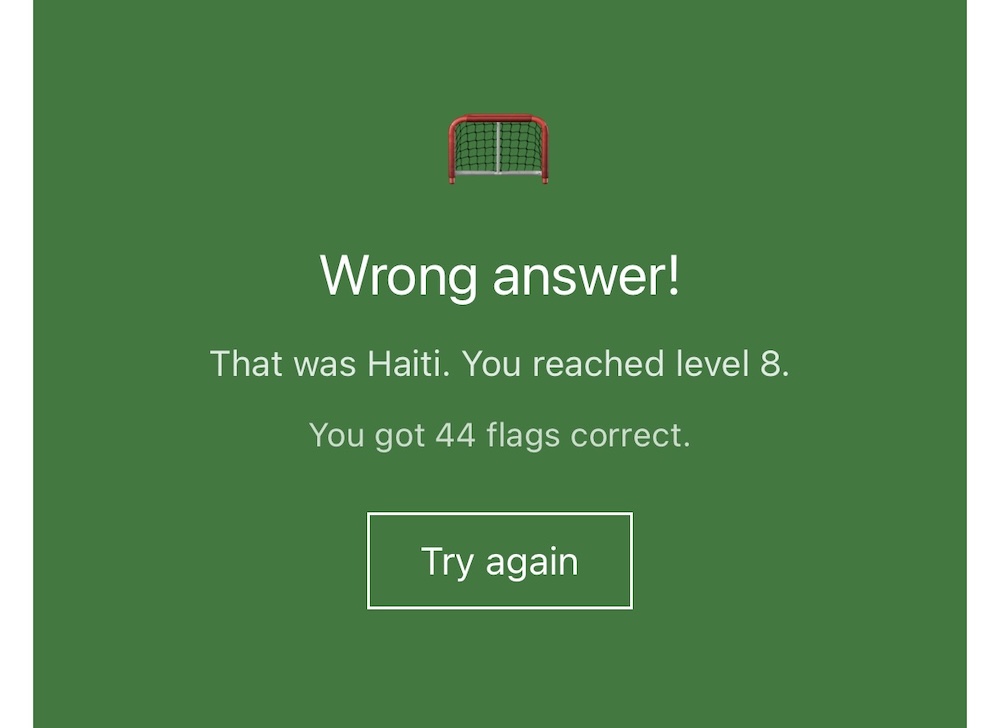
Building a game with my 8yo using Claude Code
When my partner and I found out we were having a child back in 2017 one of the things I got excited about was the opportunity to teach the new arrival how to code. That moment arrived last week and rather than hand coding something from scratch I decided to do it with Claude Code alongside. This post is all about what my son and I did that afternoon and how the LLM made the whole thing a radical departure from what I was expecting to do eight years ago.
NB: If you are looking for an immediate flag game fix, you can do that here.
The early design process
If there was something that felt familiar about this experience it was the design phase. The LLM didn’t feature at all and we did all of the early design on a piece of A4 with a pencil. The key challenge was to rein in the imagination of an 8 year old. We play a lot of Zelda together on the Switch, and so when I said we were going to make a game, he imagined some open world epic involving monsters in space. When I explained that over 1,000 people made Tears of the Kingdom, he was both amazed, and realised he needed to think smaller.
He’s always liked flags and is enjoying the World Cup so I steered him towards that. I also knew that making use of emoji would be both popular with him, and make it close to zero work to produce the image assets.
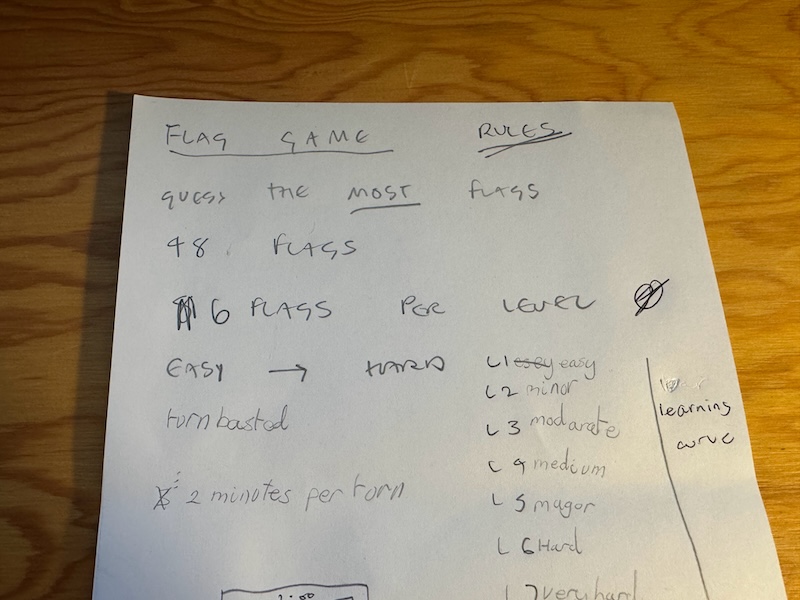
I explained the rules of the game, and deciding how someone wins was a good place to start. He immediately suggested, “guess the most flags” and so we riffed on this idea for a bit before deciding that a timer was needed to prevent someone just looking them all up.
Learning curve
I was also keen to introduce him to the idea of a game’s learning curve. Start it too hard and people switch off, never get hard enough and the same is true. A good game continues to test a player right up to the conclusion and helps less experienced players build up skills overtime. To explain this I leant on Zelda again. It would be less fun if Link had the Master Sword right away, and it would be annoying if you were immediately faced with an army of white bokos and have nothing to defend yourself.
He’s familiar with the concept of stages from Pokemon so to conclude our discussion of the learning curve I suggested the game could have levels and that each level could be harder than the next. He liked that, and we rounded on six flags per level, so eight levels.
Designing the HUD
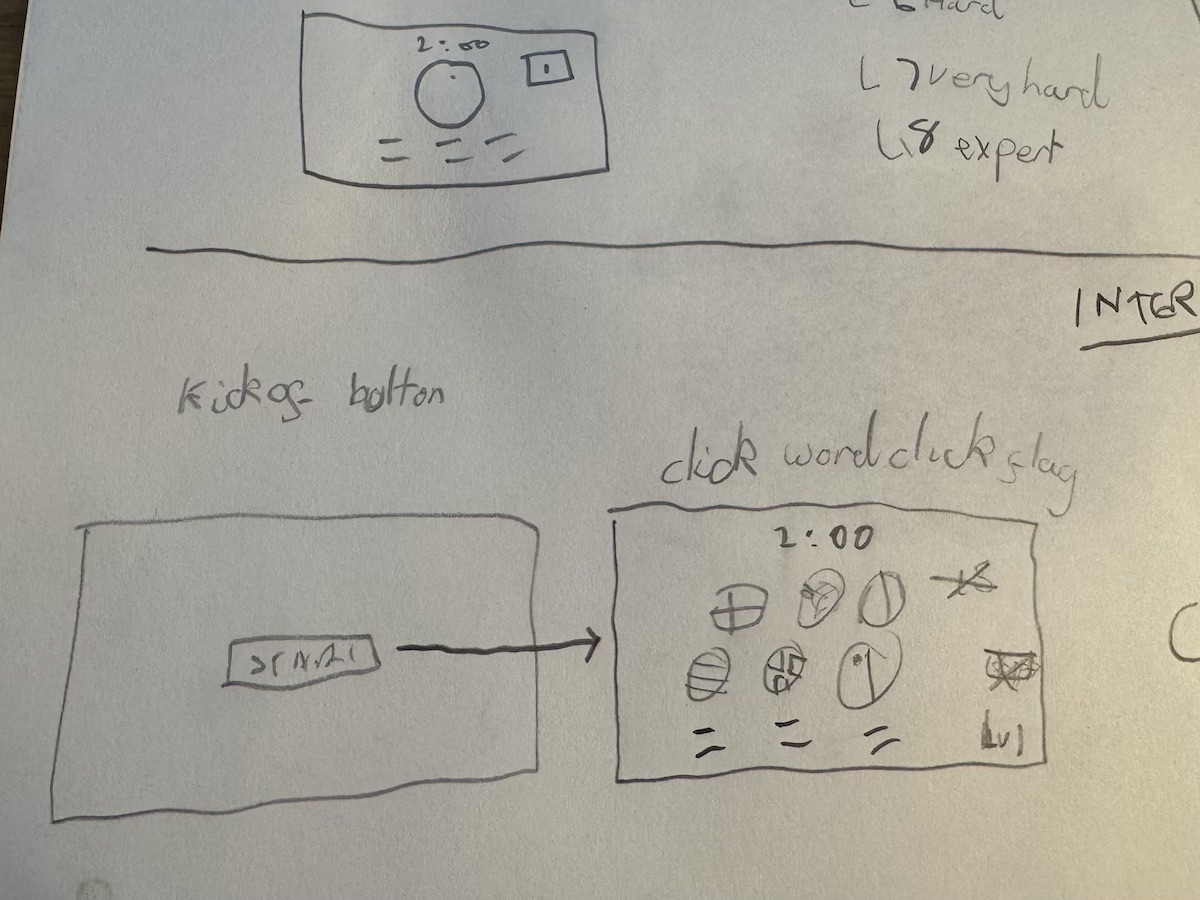
Once again we were back to paper and pencil and he described to me how he was imagining the game working. Interestingly he’d imagined one flag and six words. With each correct match a country would be struck off the list until you got all six. I thought of one word and six flags and completing the level would mean getting all six right. We worked through the pros and cons of each and decided that six flags was better as it was slightly easier if each correct guess struck off one answer option. We also just preferred the look of the six flags on the screen.
Finally, I got him to draw a level counter and count-down timer.
Code, data centres and cables under the sea
While I had accepted that an LLM was going to feature heavily in the build I didn’t want to start there. I wanted to explain as simply as I could how code you write on your computer is accessed by people using other computers.
To do this I first showed him some of the code that compiles danielbower.com and pointed at some HTML and CSS. This is what makes you see things on web pages when you use a computer. But this code is stored on my laptop, so for other people to see the same thing they need to get access to it on their computer. I talked about computers that are always on, called data centres, and showed him pictures of server racks and glowing cables, he loved that. And I explained that there are cables that run the length of the Atlantic Ocean that allow people in America to access data centres in Europe.
The game we are going to make will end up in data centre like the ones in the pictures. But first we need to write the code.
Booting up Claude Code
I told him that one way to write code was to get the computer to help you do it. I started a new Claude Code session and prompted it with:
Me and my son are going to make a game to go on the /things/ area of my website.
It followed up with some generic questions and so I gave it something more specific:
We’re going to make a Javascript game where you have to guess what flag you are looking at. We are going to use the emoji flags and a simple click interface.
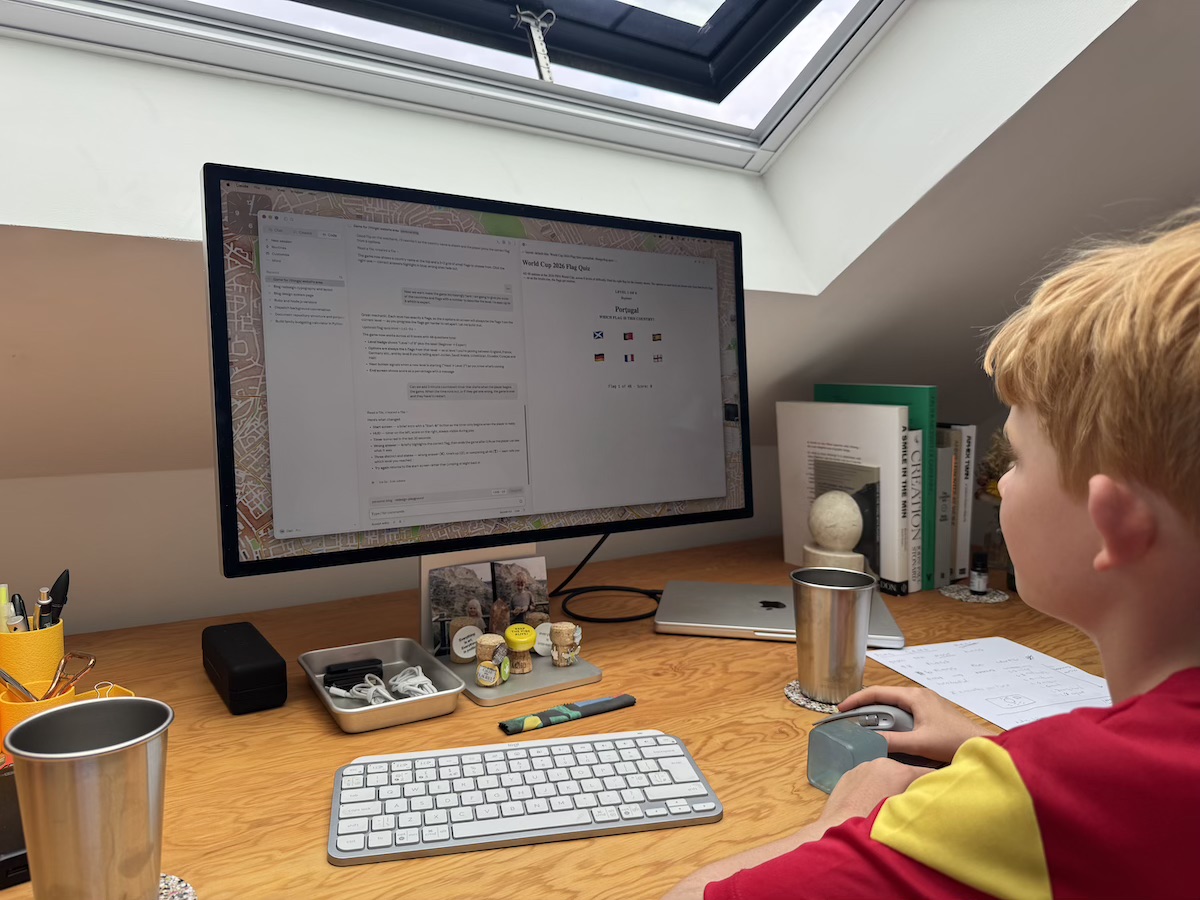
It only took these two prompts for Claude to produce a passable first version. This is not surprising, it’s quite a simple task, but for my son it was mind blowing. Less than 50 words typed and what was returned was 355 lines of code which we could preview in the browser and play.
He was immediately hooked.
Using tokens
One notable question he asked during our session was what tokens were? And why does the number keep going up?
Answering this was by far and away the hardest thing I had to do all afternoon! The best I could come up with was that tokens were how the computer translates our language into theirs. They get used when you ask the computer to do something, so it understands what you want it to do. And they get used when the computer needs to give us something back, either in code or in words we understand.
I said that every time we talk to the computer it uses more tokens and tokens aren’t free. I think this made sense (I’ve yet to go back and check), but it certainly made it fun for him. The numbers kept going up and by the end of the session we’d used ~80,000 which for a kid who likes numbers felt cool in a way I hadn’t expected.
The first draft the LLM had given us worked pretty well, but it needed some tweaks to align it with our design. The rough stages were:
-
Getting it to limit the game to the 48 flags in the World Cup, which it did by cross referencing with a couple of football blogs.
-
Changing the mechanic to be six flags displayed and one country name.
-
Adding a three minute countdown timer (my son decided two minutes was too hard).
-
Making the game screen green and deciding on the emojis to use if the player loses, wins and runs out of time.
As anyone who has used an LLM to code will know, these stages were very quick to complete. The code is simple, and the feedback loop between the LLM and the game tester (my son) is really tight. Things slowed down when we came to determining the levels, however.
Flag obscurity ranking
Rather than ask Claude to group the flags for us, I decided it would be good for my son to do the data work. We copied all of the flags into a Google Sheet and then I asked him to score them from 1 to 8, where 1 was “easy” and 8 was “really hard”. After a couple of cycles (to even out the sizes) we had our groups, essentially flags ranked by obscurity where the measure of obscurity is my son’s opinion. We exported the sheet as a CSV and uploaded that to Claude Code to finish things off.
Side quest
I was interested to see how Claude would attack the same sorting problem my son had. So later that evening I gave it this:
I have the 48 flags of the countries in the world cup and I want to organise them into groups of six. However I want you to group them by obscurity. How would you go about doing this if the audience is a group of 8 year olds who live in London?
Opus 4.8 took 6 minutes to respond, certainly one of the longest single responses I’ve ever seen! Its rationale for the groups was cool too, it took into consideration home nation flags, “big” teams, the heritage of communities in Hackney, recognisable flags e.g. Japan, and things from kids TV.
Overall my son and Claude agreed on the group 25% of the time, and within that there were some particularly cool examples e.g. Turkey / Scotland which were only let down by some last minute hallucinations. You can see their ranking side by side here.
Inline comments
The last thing I did was to get Claude to run back through the finished code and add comments that were intelligible to an 8yo. For example:
<!-- This is the screen you see while you're actually playing the game.
       It's hidden to start with (display:none) until you press Kick Off -->
and
// This is the big list of every country in the game. Think of it like a deck
// of cards - each card has a flag emoji, the country's name, and which level
// (1 to 8) it belongs to. Level 1 is the flags almost everyone knows, and
// level 8 has the trickiest ones!
Running back through all of this with him was great fun and was a positive way to end things. We essentially ended back at the beginning, looking at code and chatting about how it works.
Closing thoughts
There is no way we would have tackled something so ambitious if I’d have had kids much earlier. The coding would have tested my skills too much, and in turn bored him. We would have started with something that looked more like a “Hello World” exercise, a space on my blog where he could mess about with content, style and some basic interaction, maybe.
Don’t get me wrong we could have still started there, but I think my job as a parent is to excite him about the possibilities of design and programming, not to teach him about syntax. And with that in mind the LLM has served it purpose. It meant that something that excited him was within reach in a short period of time (less than one hour behind the computer) and I was able to focus on the principles behind design, code, data and networks.
Maybe he’ll be interested in programming when he’s older. Maybe the profession won’t even exist in the future. I am not sure either of those things are more important than the curiosity to make stuff in the first place.